
Innovation
– 11 min read
New at WRITER: Scale your team’s expertise

When a new employee joins your team, you give them everything they need to do the job well and stay on-brand. This includes a clear definition of their role and responsibilities, company background, access to the right tech stack, standard processes, brand guidelines and templates, team standards and best practices.
The same principle should apply to AI agents. The best teams don’t just use AI: they teach it to work the way they do. They capture their expertise, encode their preferred formats and ways of working, build workflows that turn tribal knowledge into reliable, repeatable processes, and share their AI-supported outputs for collaborative refinement.
We built this month’s releases to make this happen at scale. Now anyone can capture that expertise once and make it available everywhere — turning your team’s unique approaches into reusable building blocks that work across sessions, teams, and workflows. From Skills that codify exactly how your team analyzes data or structures deliverables, to presentation templates that automatically match your visual identity, to a shared workspace where your entire organization can iterate on AI-generated outputs together, WRITER becomes an extension of your team that actually knows how you work.
Here’s what we shipped in March.
Skills: Codify your team’s expertise
Every team has a specific way of doing work, even if it’s not written down.
There’s the way your product marketing team analyzes competitive positioning. The specific format your sales team uses for account briefs. The exact structure your content team follows for thought leadership pieces.
This institutional knowledge lives in people’s heads and scattered Teams or Slack threads. Until someone leaves, or a new hire needs to get up to speed, or you need consistency across 15 different campaign launches.
What are Skills?
Skills solve this. Think of them as reusable building blocks that capture your team’s unique way of accomplishing tasks. The deliverable formats you’ve perfected over time. The brand messaging considerations you want baked into every campaign. The specific methods your analysts use to draw insights from data. The way WRITER Agent should pull and structure information.
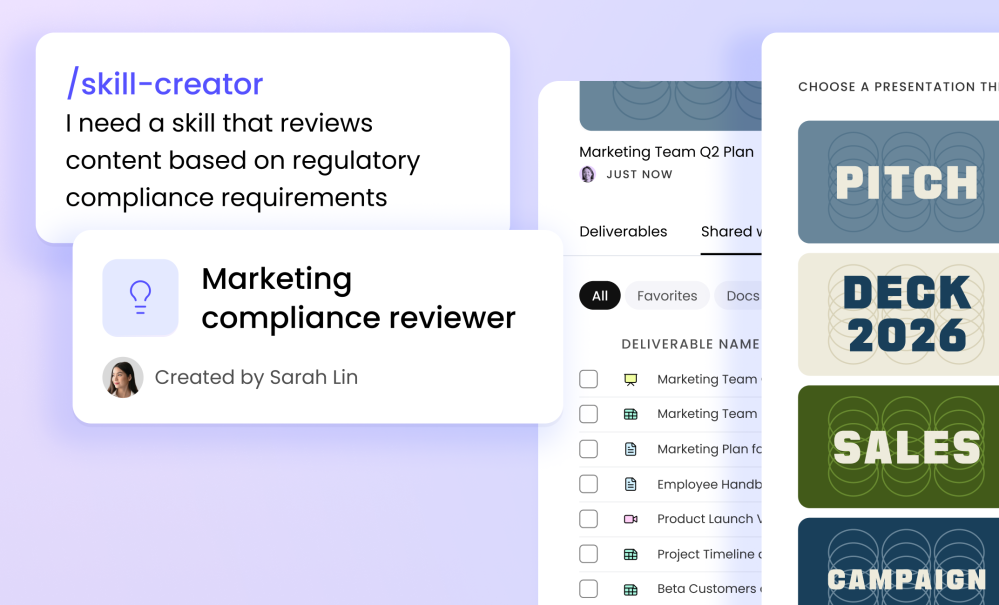
What makes Skills powerful: Create a Skill once through a simple conversation with WRITER Agent, and make that expertise available everywhere — across sessions, teams, and every Playbook in your organization.
For enterprises in regulated industries, Skills are especially valuable. Skills give WRITER the domain expertise to work like your subject matter experts do, whether that’s evaluating product descriptions for compliance with regulatory guidelines, summarizing vendor risk assessments, or analyzing clinical care variation across providers. The expertise you’ve built over years becomes the foundation your AI operates on.
Skills ladder into Playbooks to create end-to-end automation. Playbooks orchestrate collaborative workflows; Skills ensure each step is done right.
Create Skills through conversation
You don’t need to be an AI expert to build Skills. No coding, no complex configurations, no technical documentation. You just talk to WRITER Agent the same way you’d explain something to a new colleague.
Let’s say you want to encode how your team analyzes competitors. You’d simply tell WRITER: “When analyzing competitor positioning, only review assets created by the competitor — not independent analyses. Never review content older than one month. Always structure your findings in a SWOT format.”
That’s it. WRITER captures your approach and transforms it into a reusable Skill that anyone on your team can use.
Want to ensure your social posts always follow your three-part hook structure? Build a Skill. Need data analysis to consistently include specific metrics and visualizations? Build a Skill.
You know the work best, so we built Skills to let you codify exactly how it should be done — in your words, on your own terms.
Attach Skills to Playbooks for end-to-end automation
Skills don’t operate in isolation. You can attach them to Playbooks to create sophisticated, repeatable workflows where Skills, Voice, Knowledge, and Connectors all come together to accomplish work.
Picture this: you attach a competitive analysis Skill to a Playbook that automatically pulls data from your CRM via a Connector, uses Voice to write in your voice, and formats outputs according to your team’s standards. Every time that Playbook runs, it uses your Skill to ensure the analysis is done exactly right — no variation, no guesswork, just consistent execution of your proven approach.
Share Skills across your organization
The real power emerges when Skills become shared resources that your entire organization can use.
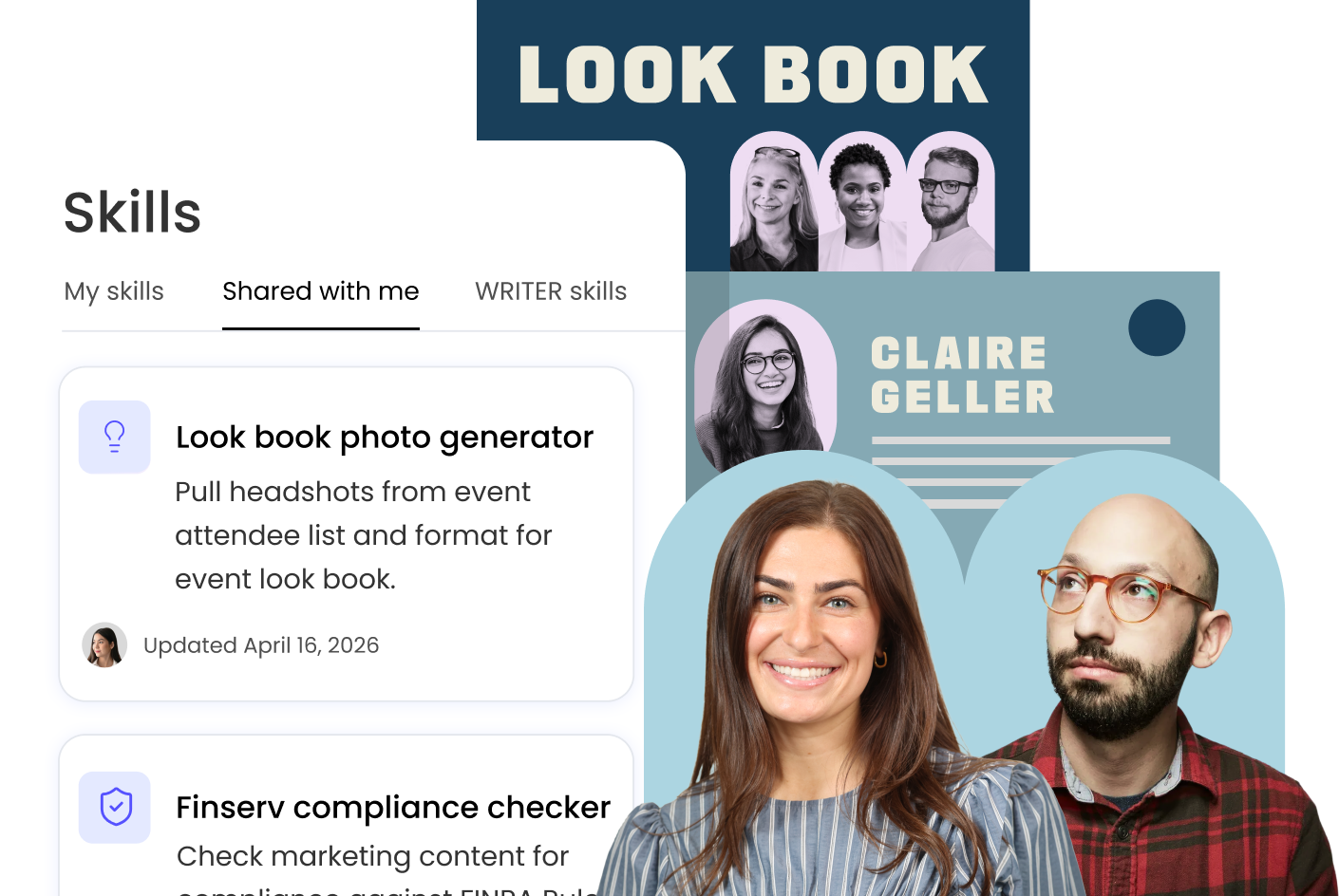
Imagine your demand gen team builds a campaign brief Skill that perfectly captures your positioning framework and competitive differentiation. Instead of keeping it to themselves, they share it — now the entire marketing organization has access to that same expertise in their own sessions and Playbooks. Your sales enablement manager creates an account research Skill that codifies years of discovery techniques. Now, every BDR can use it. Your product marketer nails the messaging for your latest product launch? They can share that Skill with the rest of the marketing team to create campaign assets. And when messaging evolves, one update instantly propagates everywhere.
This is how proven approaches spread naturally across your organization, Nothing gets lost in individual chat histories. No one’s reinventing the wheel. You move from helpful productivity hacks to reliable business processes that scale with your team.
Join WRITER marketers Ben and Ryan for a live Q&A and demo with real marketing use cases.
WRITER at work: Teach your tactics once. Scale yourself as a marketer.
Register now
On-brand content at scale
Custom presentation templates: Generate polished decks, automatically
Slides communicate your ideas to executives, customers, and cross-functional teams. But while the value is in the thinking, turning those thoughts into polished presentations is a tedious time-suck. When AI-generated slides come out with generic formatting, you’re stuck manually revising them to use your brand colors, fonts, and layouts before anyone sees them. You’re almost better off just creating them from scratch.
Now WRITER Agent learns your visual brand and applies it automatically.
How it works
Upload your existing PowerPoint template with the right colors, fonts, layouts and WRITER Agent extracts your brand’s visual identity. That’s it. Now it’s ready to create a presentation that uses your slide styling.
The editing experience gets even better. Need to refine just one slide in a generated presentation? Select the pencil icon on any slide page, and you can reference it in chat to make targeted edits. You can update that specific page without regenerating the entire deck.
Even details like custom fonts are covered. If you have a proprietary typeface that’s essential to your brand, simply upload it in the session or Playbook you’re using to generate the presentation, and WRITER will use it throughout.
The result: you focus entirely on the content and ideas, and WRITER Agent turns them into professional slides that look like they came from your design team. No manual formatting. No brand compliance reviews. Just on-brand presentations, every time.
Availability: The ability to upload and apply custom presentation themes is available in closed beta today, and will be available to all WRITER customers in the next few weeks.
Ensure AI outputs use the correct terms
Brand compliance at scale means ensuring AI-generated content uses approved terms and avoids non-compliant ones. We’ve now unified Terms lists with Voice, so when you apply a Voice profile to outputs, it automatically enforces your Terms, ensuring consistency across everything your team creates with WRITER Agent.
Collaborate with your team
Add teammates as Playbook collaborators
Enterprise AI works best as a shared resource, not a personal tool. The proven approach your team developed for quarterly business reviews shouldn’t stay trapped in one person’s sessions. When your campaign managers discover the perfect research workflow, the entire demand gen team should benefit.
That’s why we built Playbooks, Skills, Voice, and Knowledge to be easily extensible across your team and the broader company.
Now when you share a Playbook with collaborators, they can do more than run it — they can also duplicate and edit it. You’re not just sharing a resource with a teammate. You’re bringing them into the workflow design and iteration as a co-creator, so your processes get better through collective refinement instead of staying frozen as one person’s approach.
Refine and share deliverables
We’ve also revamped My Work to make finding, editing, and sharing your WRITER Agent deliverables easy. It’s a centralized hub where you can organize, collaborate on, and edit AI outputs — every deliverable WRITER Agent creates for you — beyond their initial creation.
Availability: This upgrade to My Work is available in closed beta today, and will be available to all WRITER customers in the next few weeks.
Expanded Integrations: Connect to the tools you already use
This month, we continued to expand how WRITER Agent connects to the tools where your work actually happens.
Have a conversation with your BigQuery data
Marketers and business users rely on data to make decisions, but often lack the technical skills to build custom queries or dashboards. That makes them dependent on scarce technical resources for business-critical insights.
Our new BigQuery connector eliminates that friction entirely. Like the Snowflake and Databricks connectors we released last month, it turns your data warehouse into a conversational analytics partner that speaks your language.
Just ask questions in plain English: “What were our top-performing campaigns by conversion rate last month?” or “Show me accounts with high engagement but low spend.” You’ll get instant insights that you can turn into strategy, presentations, or campaign plans — no SQL required, no waiting on analysts, no bottlenecks.
Create event-based triggers from Google Calendar and Google Drive
In addition to Gmail and Slack, you can now trigger Playbooks based on Google Calendar events. Imagine automatically generating prep briefs the moment a customer meeting is scheduled, or kicking off QBR packages when quarterly reviews appear on your calendar. You can also set triggers for file activities in Google Drive, like automatically launching content workflows when new assets land in specific folders.
Execute workflows from anywhere with Playbooks webhooks
Sometimes your workflows start outside of WRITER — in your project management tools, your CRM, your custom applications. Now you can trigger Playbooks from anywhere using webhooks, opening up deeper integration with your existing tools and workflows.
Here’s how it works: send variable inputs (including files) with your webhook request to kick off a Playbook run. Then use our new “get session status” and “download deliverables” endpoints to poll for completion and retrieve results once the Playbook run finishes. Your external systems can now orchestrate WRITER’s AI capabilities as part of broader workflows, making WRITER’s intelligence available wherever your processes live.
Three things to try today
If you’re already a WRITER user, here are some ways to get started with these new features:
- Create your first Skill: Think about a task you or your team does repeatedly. Maybe it’s structuring campaign briefs, analyzing customer feedback, or formatting sales proposals. Open WRITER Agent and describe the right way to do it in natural language, and ask WRITER Agent to capture it as a reusable Skill. It’s always helpful to provide an example or two as well.
- Test the Skill in a Playbook or Session: Take that Skill you created, and put it to the test in a full workflow or request. Try adding it to one of your Playbooks that would benefit from the additional specifics, or simply ask WRITER Agent to do something that requires that Skill – just hit / and type the name of your Skill into the prompt window when you make the request.
- Share the Skill with your team: Chances are your teammates can benefit from the Skills you create too. Go to the Skills library, find the Skill you created, click the three-dot menu, and share with a colleague or the entire team. You might be surprised and inspired by how they put that Skill to use in their own creative ways.
Already a WRITER customer? Access these features now in your workspace
Ready to onboard WRITER Agent?
Our team specializes in AI program design, development, and adoption: we partner with you to turn early wins into an operating model that scales across your organization.
Ready to see how your team can capture expertise, ensure brand consistency, and scale impact?
Schedule a personalized demo where we’ll show you:
- How to build Skills and Playbooks that capture your team’s unique processes
- The power of an AI teammate equipped with the right Skills, Playbooks, Voice, Connectors, and Knowledge
- Automated on-brand presentation generation with custom themes
- Granular observability for enterprise-grade AI governance