White sparkle or magic wand icon on dark background, featuring a diagonal line with a star and smaller sparkle elements.
WRITER AGENT

Your team’s capacity, 
multiplied.

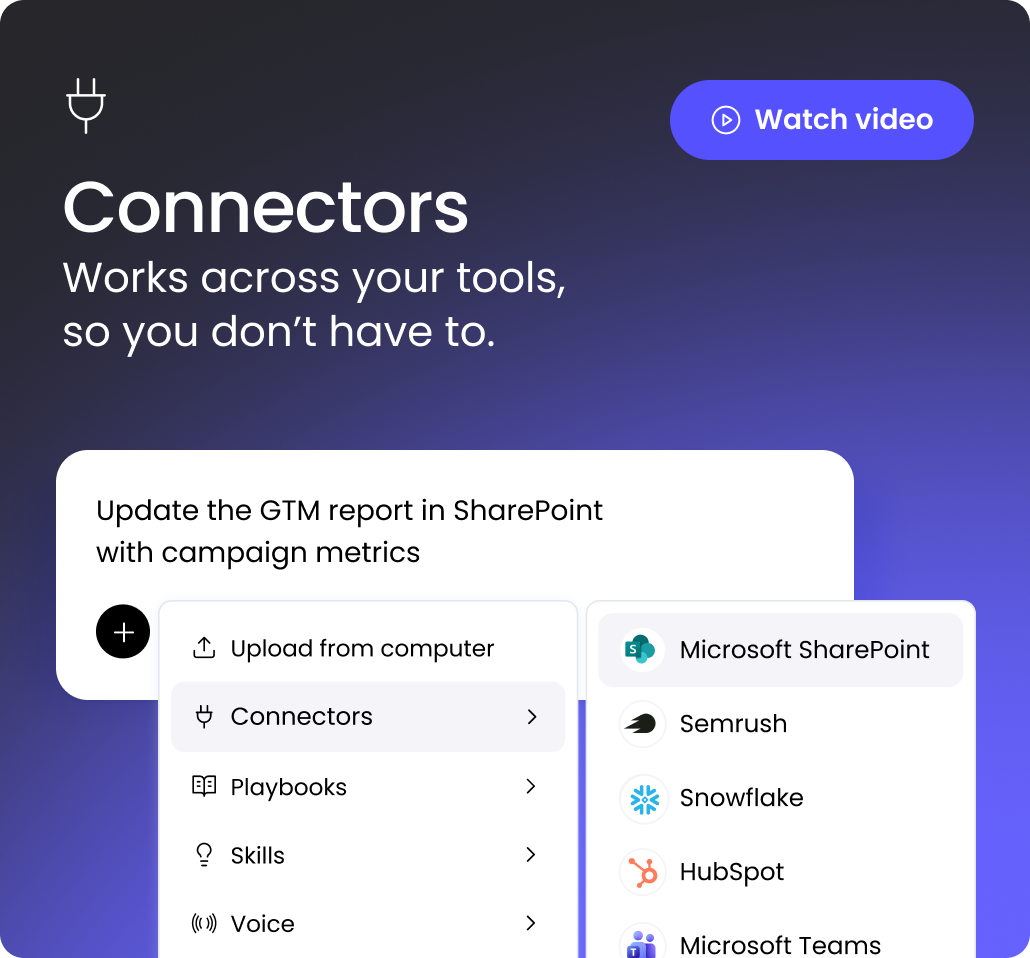
WRITER Agent autonomously plans and executes work across your data and tools, 
grounded in your context and governed by enterprise controls.
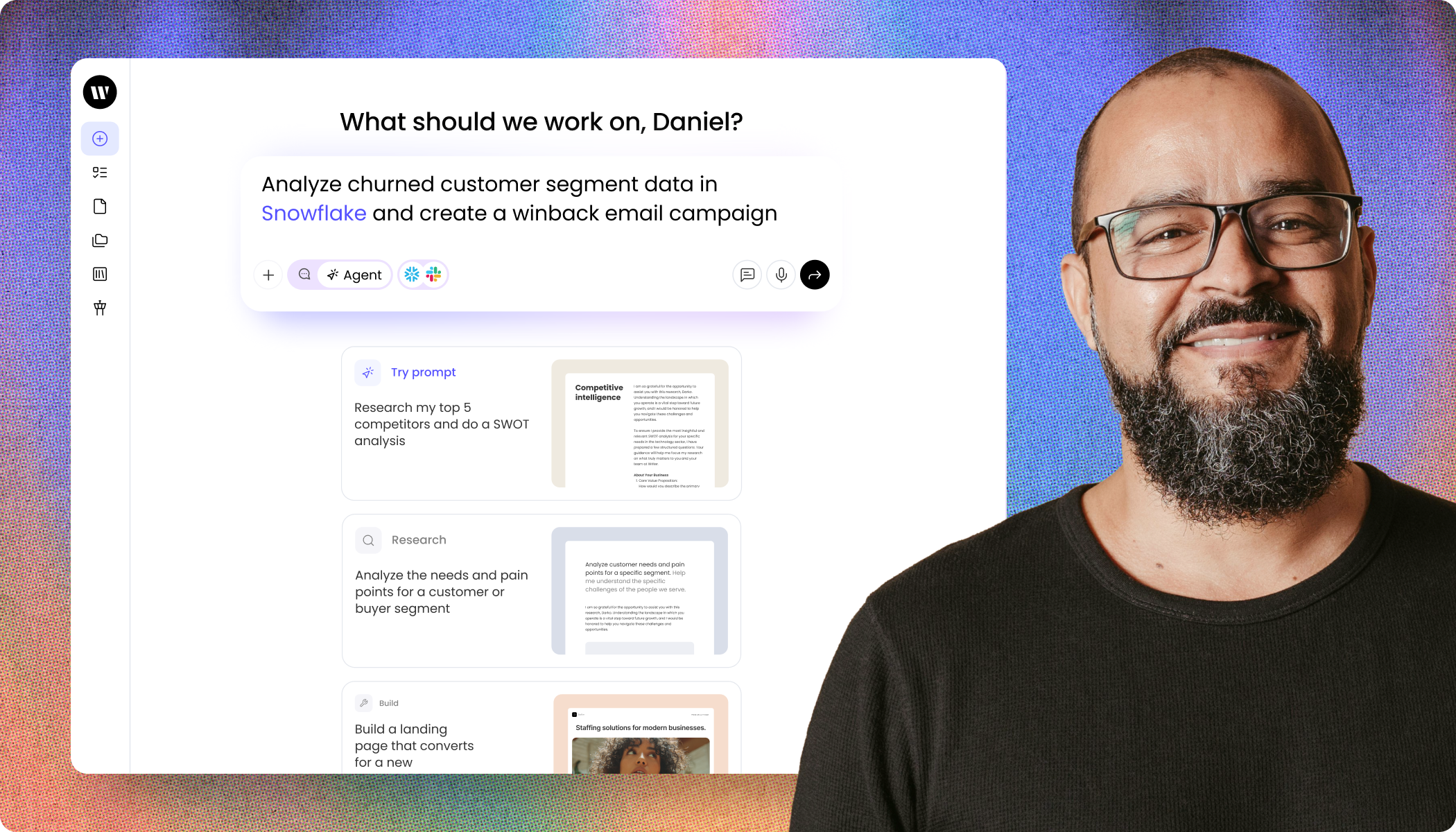
A split composition showing a software interface on the left and a smiling man with a beard and glasses on the right. The interface displays a greeting, "What should we work on, Daniel?" above a central text input box containing the prompt: "Analyze churned customer segment data in Snowflake and create a winback email campaign." Below the input box are three suggested prompt cards: "Try prompt: Research my top 5 competitors and do a SWOT analysis," "Research: Analyze the needs and pain points for a customer or buyer segment," and "Build: Build a landing page that converts for a new." The interface features a clean, light design with a sidebar menu on the far left containing various icons.

World-class enterprises trust WRITER

Vanguard
Intuit
Salesforce
ServiceNow
Dropbox
HubSpot
New American Funding
Pinterest
6sense
Commvault
Adore Me
HOW IT WORKS

Delegate
complex work,
from start to finish.

Works backwards from your outcome.

Just tell WRITER Agent what you want to accomplish — it builds the plan to get there, mapping every step across the right data and tools.
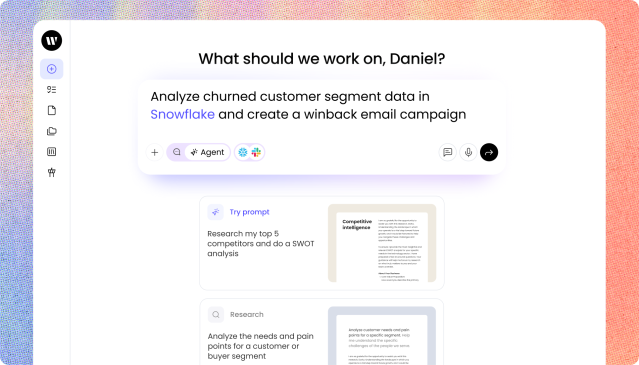
A close-up view of WRITER Agent with a light background. At the top, a heading reads "What should we work on, Daniel?" Below this is a prominent text input box containing the prompt: "Analyze churned customer segment data in Snowflake and create a winback email campaign." The input box includes icons for adding attachments, selecting an agent, and integrations like Snowflake and Slack. Below the input box, there are suggested prompt cards stacked vertically. The top card is labeled "Try prompt" and suggests "Research my top 5 competitors and do a SWOT analysis," accompanied by a document preview. The second card is labeled "Research" and suggests "Analyze the needs and pain points for a customer or buyer segment." A sidebar menu with icons is visible on the left edge.

Knows when to act and when to ask.

WRITER Agent autonomously executes the plan and stops along the way for input — so you stay in full control without micromanaging every step.
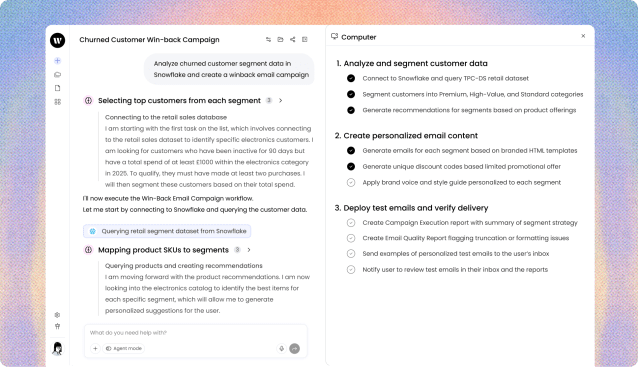
WRITER Agent interface displaying a workflow in progress. The left panel, titled "Churned Customer Win-back Campaign," shows a chat-like history of automated actions. It displays the initial prompt about analyzing Snowflake data, followed by completed steps with checkmarks: "Selecting top customers from each segment" and "Mapping product SKUs to segments," along with detailed text explaining the actions taken. The right panel, titled "Computer," displays a structured checklist with three main sections. Section 1, "Analyze and segment customer data," and Section 2, "Create personalized email content," have their sub-tasks marked as completed with black checkmarks. Section 3, "Deploy test emails and verify delivery," shows its sub-tasks as pending with empty circles.

Delivers polished assets, not first drafts.

No more endless back-and-forth. 
Get complete documents, presentations, dashboards, and spreadsheets — tailored to your brand.
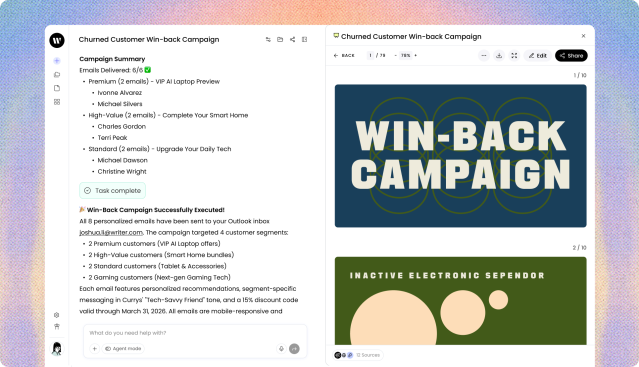
WRITER Agent interface showing campaign results. The left panel, titled "Churned Customer Win-back Campaign," displays a "Campaign Summary" indicating "Emails Delivered: 6/6" with a green checkmark. It lists recipients categorized under "Premium," "High-Value," and "Standard" segments. Below this, a success message reads "Win-Back Campaign Successfully Executed!" detailing that 8 personalized emails were sent targeting 4 customer segments, featuring personalized recommendations and a 15% discount code. The right panel displays a document viewer showing slide previews. The top slide features the large, bold text "WIN-BACK CAMPAIGN" over overlapping thin green circles on a dark blue background. The partially visible second slide has a green background with beige circles and the text "INACTIVE ELECTRONIC SPENDOR."

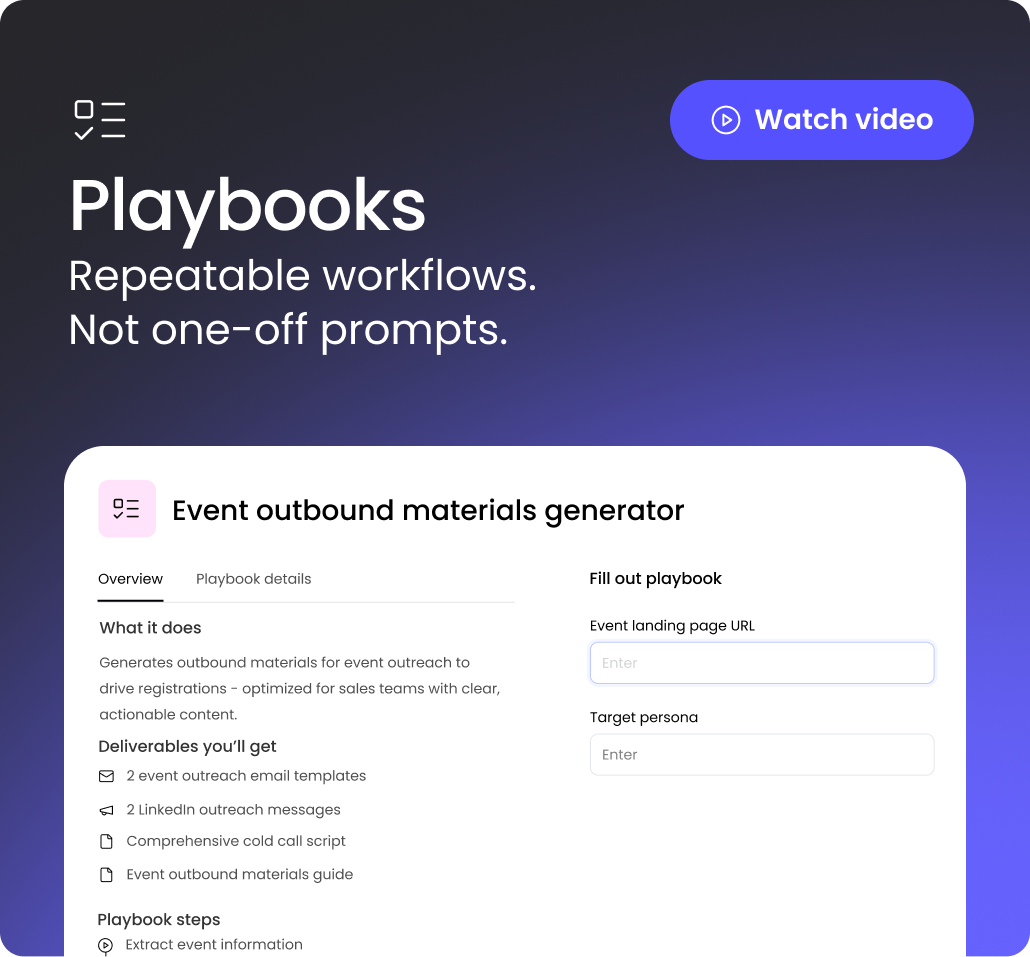
Makes work repeatable across the team.

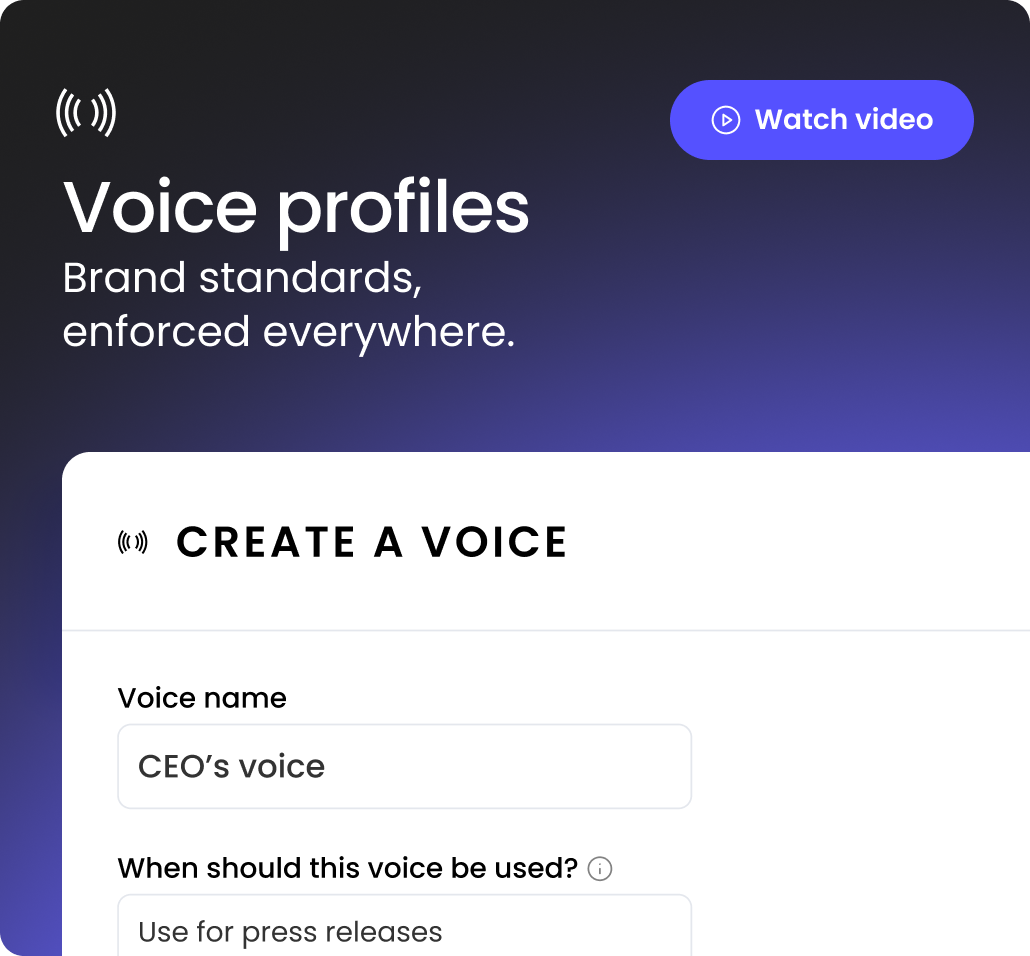
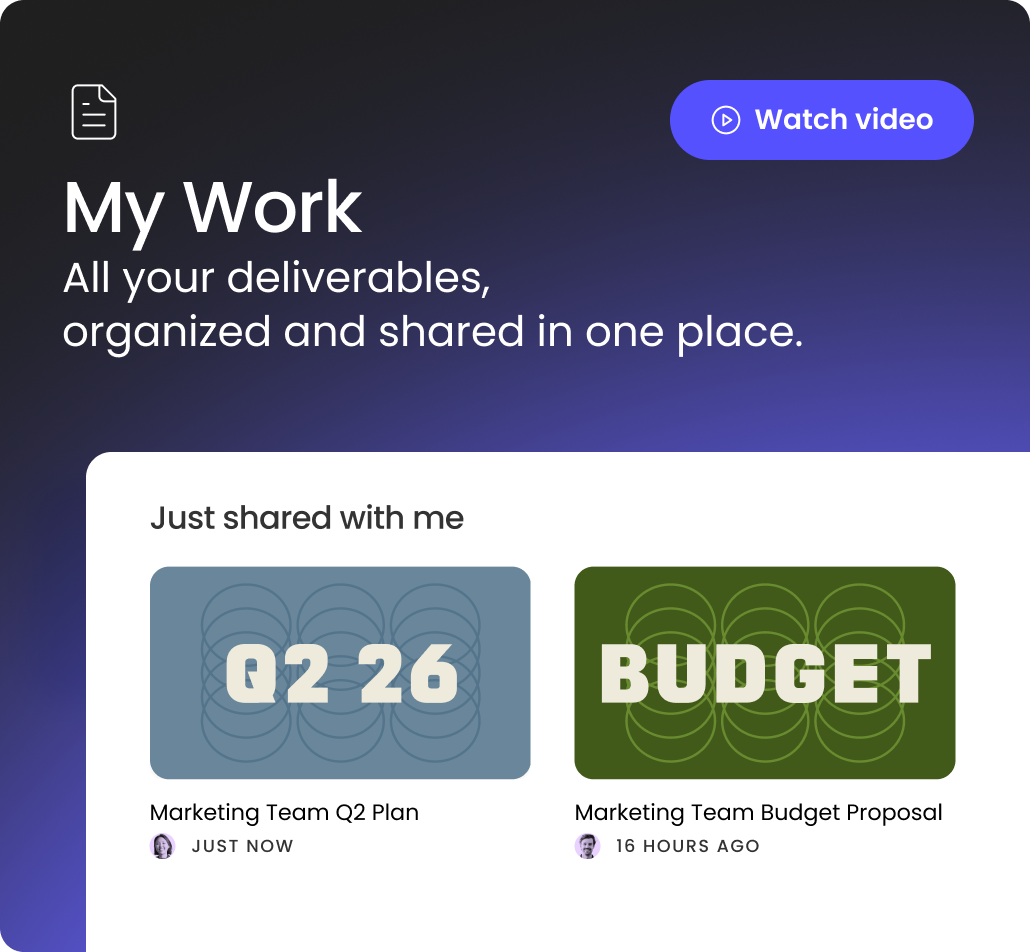
Everything is built to share by default — from playbooks and skills to voice profiles, and more — so you can build once and scale everywhere.
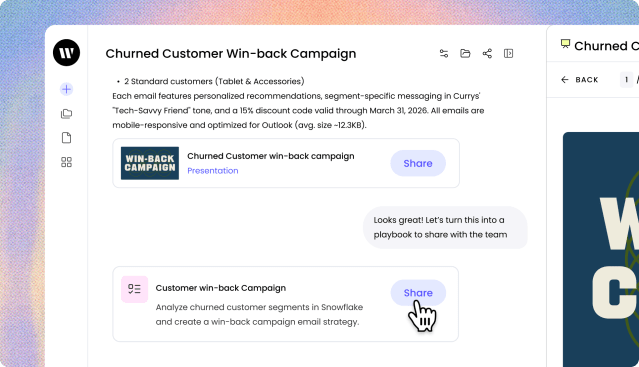
WRITER Agent interface showing the conclusion of a campaign workflow. The left panel displays the end of a summary text about personalized recommendations and discount codes. Below the text, there is a card for a "Churned Customer win-back campaign Presentation" with a "Share" button. A chat bubble appears below it saying, "Looks great! Let's turn this into a playbook to share with the team." At the bottom, there is another card for a "Customer win-back Campaign" playbook, describing its function to analyze segments in Snowflake and create an email strategy. A cursor shaped like a pointing hand is hovering over the "Share" button on this playbook card.
A close-up view of WRITER Agent with a light background. At the top, a heading reads "What should we work on, Daniel?" Below this is a prominent text input box containing the prompt: "Analyze churned customer segment data in Snowflake and create a winback email campaign." The input box includes icons for adding attachments, selecting an agent, and integrations like Snowflake and Slack. Below the input box, there are suggested prompt cards stacked vertically. The top card is labeled "Try prompt" and suggests "Research my top 5 competitors and do a SWOT analysis," accompanied by a document preview. The second card is labeled "Research" and suggests "Analyze the needs and pain points for a customer or buyer segment." A sidebar menu with icons is visible on the left edge.
WRITER Agent interface displaying a workflow in progress. The left panel, titled "Churned Customer Win-back Campaign," shows a chat-like history of automated actions. It displays the initial prompt about analyzing Snowflake data, followed by completed steps with checkmarks: "Selecting top customers from each segment" and "Mapping product SKUs to segments," along with detailed text explaining the actions taken. The right panel, titled "Computer," displays a structured checklist with three main sections. Section 1, "Analyze and segment customer data," and Section 2, "Create personalized email content," have their sub-tasks marked as completed with black checkmarks. Section 3, "Deploy test emails and verify delivery," shows its sub-tasks as pending with empty circles.
WRITER Agent interface showing campaign results. The left panel, titled "Churned Customer Win-back Campaign," displays a "Campaign Summary" indicating "Emails Delivered: 6/6" with a green checkmark. It lists recipients categorized under "Premium," "High-Value," and "Standard" segments. Below this, a success message reads "Win-Back Campaign Successfully Executed!" detailing that 8 personalized emails were sent targeting 4 customer segments, featuring personalized recommendations and a 15% discount code. The right panel displays a document viewer showing slide previews. The top slide features the large, bold text "WIN-BACK CAMPAIGN" over overlapping thin green circles on a dark blue background. The partially visible second slide has a green background with beige circles and the text "INACTIVE ELECTRONIC SPENDOR."
WRITER Agent interface showing the conclusion of a campaign workflow. The left panel displays the end of a summary text about personalized recommendations and discount codes. Below the text, there is a card for a "Churned Customer win-back campaign Presentation" with a "Share" button. A chat bubble appears below it saying, "Looks great! Let's turn this into a playbook to share with the team." At the bottom, there is another card for a "Customer win-back Campaign" playbook, describing its function to analyze segments in Snowflake and create an email strategy. A cursor shaped like a pointing hand is hovering over the "Share" button on this playbook card.
White sparkle or magic wand icon on dark background, featuring a diagonal line with a star and smaller sparkle elements.
ENTERPRISE-GRADE PLATFORM

Complete IT control,

without the governance overhead.

Lock

Granular permissions,
not blank access.

Ensure users and agents only have access to the connectors, tools, and knowledge sources they need — and nothing they don’t.

Chart

Full visibility 

into every
agent action.

Get complete visibility into WRITER with system-wide analytics — from audit logs to usage trends — so nothing runs without a trace.

Shield

Guardrails
set centrally,
enforced globally

Set the rules once and WRITER enforces everywhere — so data stays protected and agents stay on-brand, by default.

“With WRITER’s playbooks and skills, 
we’re seeing north of 85% savings in 
terms of time and tasks that go away.”

Matt Harker

Matt Harker
VP, Consumer Experience Transformation

The Clorox Company
An abstract gradient design featuring a rounded rectangular or pill-shaped form on a black background. The gradient creates a soft, glowing effect that emanates from the center outward, transitioning through multiple colors. The central area glows with a warm peach or coral tone, which gradually blends into blue hues on the left and right sides. Touches of green and turquoise appear in the transition zones between the blue and coral areas. The edges of the rounded rectangle fade smoothly into the black background, creating a diffused, ethereal appearance reminiscent of an aurora or color spectrum. The overall effect is smooth and luminous, with no visible text or UI elements.
KEY FEATURES

See WRITER Agent in action.

Take a peek at how WRITER works in under a minute.

Your AI transformation
journey starts today.